
pytest runs your tests. pytest-html gives you a nice report. Then someone asks “what failed in CI?” and you’re walking them through downloading artifacts from GitHub Actions. There’s no built-in way to share pytest results with your team.
The Sharing Problem
pytest outputs results to the terminal or generates files (HTML, JUnit XML). Either way, those results are stuck wherever the tests ran — your machine or a CI runner. Getting them to your team means:
Common (Bad) Solutions
1. CI artifacts
- GitHub Actions keeps artifacts 90 days max, GitLab even shorter by default
- “Go to the workflow run, click artifacts, download, unzip, open in browser”
- QA might not have CI access at all
2. Paste terminal output in Slack
- Loses formatting, hard to parse
- Can’t reference later
- Doesn’t scale past a handful of tests
3. Email the HTML report
- Recipient downloads, opens locally
- Version confusion across multiple runs
- Feels like 2005
4. Upload to S3 manually
- Works, but it’s a manual step that gets skipped
- Someone has to manage the bucket and permissions
Better: Hosted pytest Reports with Shareable Links
Upload pytest results after every CI run. Every test run gets a permanent URL your team can open directly.
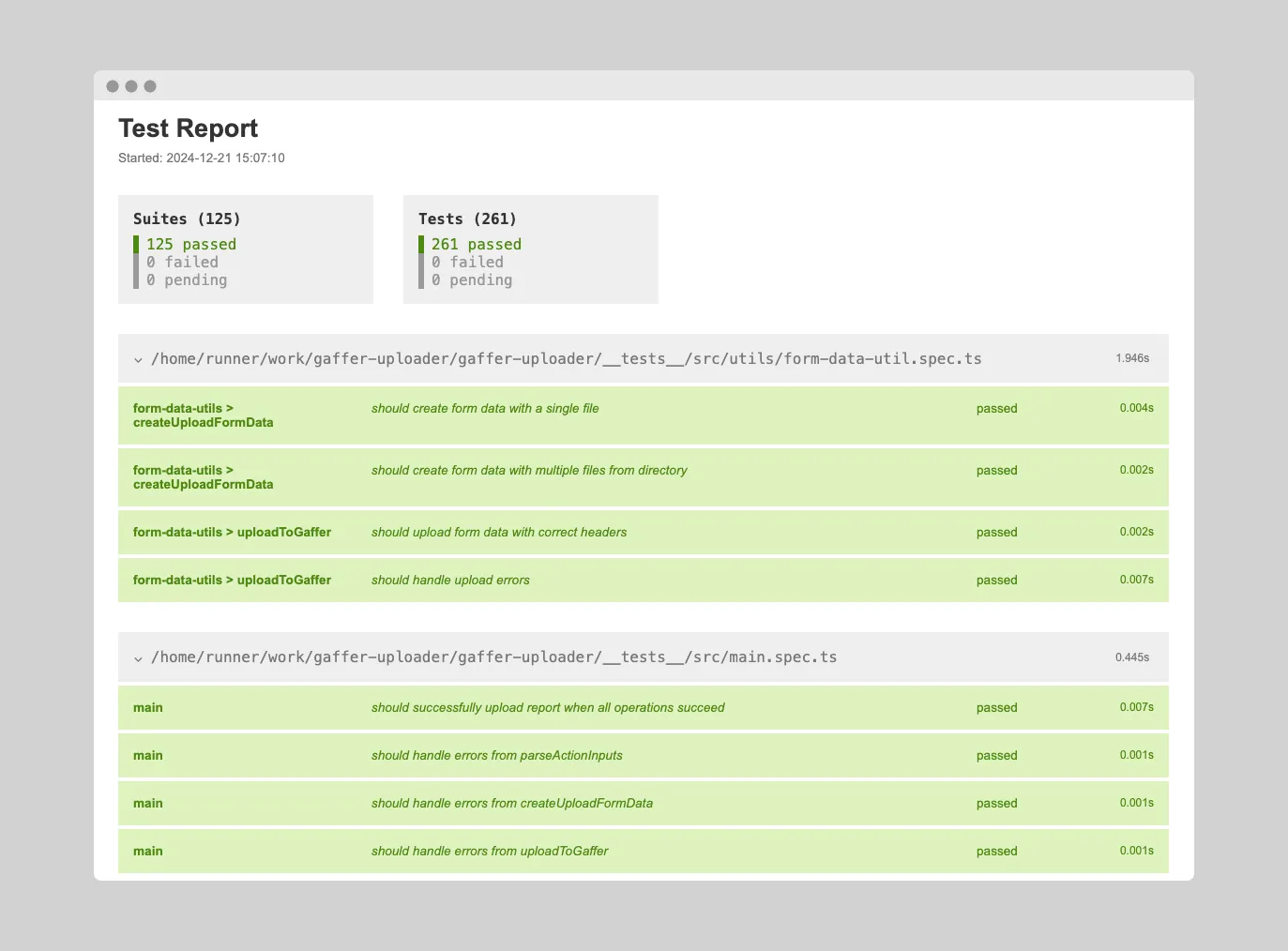
What This Looks Like
- CI runs pytest
- Results upload automatically
- You get a URL like
https://app.gaffer.sh/reports/abc123 - Share in Slack, GitHub PRs, Jira — anywhere
- Anyone with access sees the full report
No downloads. No manual steps. No expiring artifacts.
Setting Up pytest Report Sharing with Gaffer
Step 1: Generate Reports
Pick your output format — or use multiple:
# HTML for humanspip install pytest-htmlpytest --html=report.html --self-contained-html
# CTRF for richest analyticspip install pytest-ctrfpytest --ctrf=ctrf-report.json
# Or bothpytest --html=report.html --self-contained-html --ctrf=ctrf-report.json
Step 2: Add the Upload Step to CI
GitHub Actions:
- name: Run tests  run: pytest --html=report.html --self-contained-html --ctrf=ctrf-report.json
- name: Upload to Gaffer  if: always()  uses: gaffer-sh/gaffer-uploader@v1  with:    gaffer_api_key: ${{ secrets.GAFFER_UPLOAD_TOKEN }}    report_path: |      ./report.html      ./ctrf-report.json    commit_sha: ${{ github.sha }}    branch: ${{ github.ref_name }}
GitLab CI:
test: image: python:3.11 script: - pip install -r requirements.txt - pip install pytest pytest-html pytest-ctrf - pytest --html=report.html --self-contained-html --ctrf=ctrf-report.json after_script: - | curl -X POST https://app.gaffer.sh/api/upload \ -H "X-API-Key: $GAFFER_UPLOAD_TOKEN" \ -F "[email protected]" \ -F "[email protected]" \ -F 'tags={"commitSha":"'"$CI_COMMIT_SHA"'","branch":"'"$CI_COMMIT_REF_NAME"'"}'Step 3: Share the Link
After upload, share the URL in Slack, add it to a GitHub PR comment, or attach it to a Jira ticket. Recipients see the full report in their browser — no downloads.
For people outside your organization, you can generate a public share link with configurable expiration. They view the results without needing a Gaffer account.
Slack and Webhook Notifications
Stop checking CI manually. Get notified when pytest finishes:
Slack integration:
[FAILED] api-tests - main2 tests failed, 89 passedView: https://app.gaffer.sh/reports/xyz789- Direct link to the full report
- Filter by branch — only notify on
main, skip feature branches
Webhooks:
- Send results to any endpoint
- Integrate with your existing alerting tools
- Trigger custom actions on failure
No more “did the tests pass?” back-and-forth.
GitHub Integration
Commit statuses show test results directly on PRs. Your team sees pass/fail without clicking through to CI logs.
What About Flaky Tests?
Python tests can be flaky for many reasons — database state, network calls, timing issues, fixture leaks. Gaffer tracks test results across runs and identifies tests that flip between pass and fail over time. You get a list of unreliable tests to fix or quarantine, instead of investigating the same “random failure” repeatedly.
Get Started
Gaffer’s free tier includes 500 MB of storage with 7-day retention. Paid plans offer extended retention up to 90 days.